Android Studio is extremely powerful and has a lot of tricks under it’s sleeves which are waiting to be explored, one of which is File Templates.
There are several articles on this topic but in Java and I felt to take an opportunity do the same with Kotlin.
Steps to add new file template#
Note: If you already know how to create new file template, then you can directly jump to the RecyclerView Adapter template.
- Press Ctrl + Shift + A (Windows) or Cmd + Shift + A (Mac) to open Action Window and type “Add Template”
- Click on the “Plus” ➕ icon
- Give some name to the template and paste the following code
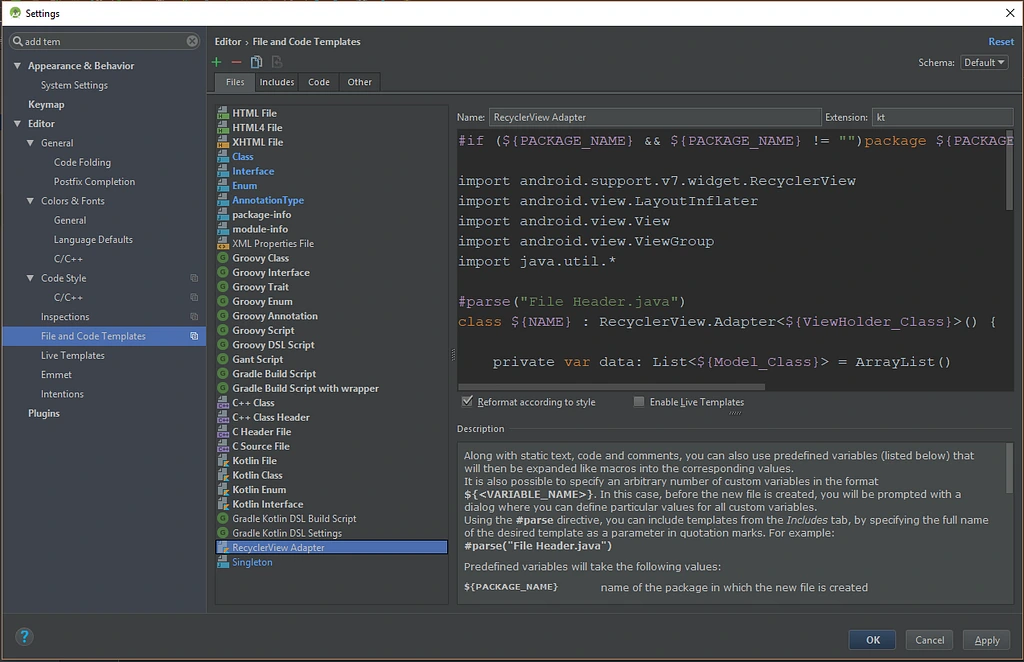
Add Template Window
RecyclerView Adapter Template code (Paste this):
After saving, and going to new file dialog; you’ll see the template which you created in the list, on clicking you’ll see the following dialog.
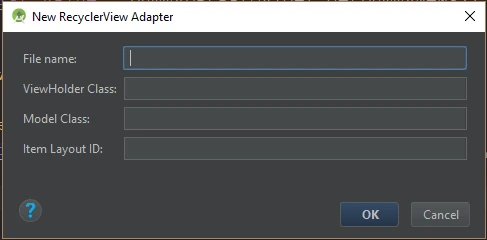
New RecyclerView Adapter wizard dialog
Just enter all the details
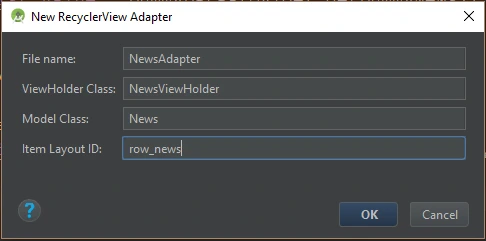
New RecyclerView Adapter wizard dialog with details filled
That’s it! Now you can forget writing the same boilerplate again and again and instantly create an RecyclerView.Adapter in few seconds.
Feel free to give suggestions on making the template better.
File template for RecyclerView Adapter in Kotlin was originally published in ProAndroidDev on Medium, where people are continuing the conversation by highlighting and responding to this story.